
CStoreNexus › The product
The productEverything you run the stores from.
CStoreNexus does not ask you to type in what the register already knows. It reads the journals and day-close files Passport and Commander write anyway, and turns them into the screens you actually run the stores from.
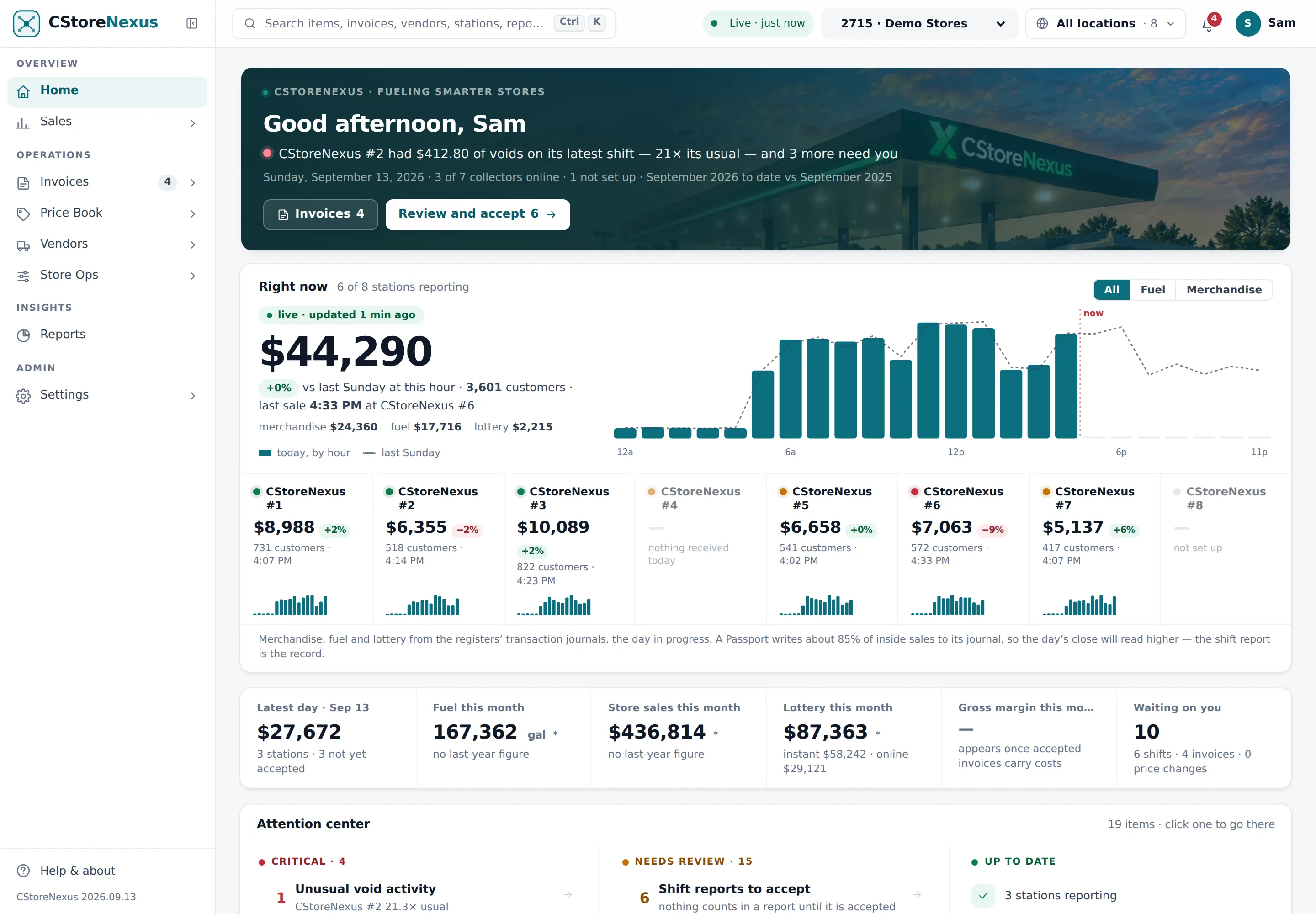
Today, as it happens, at every station.
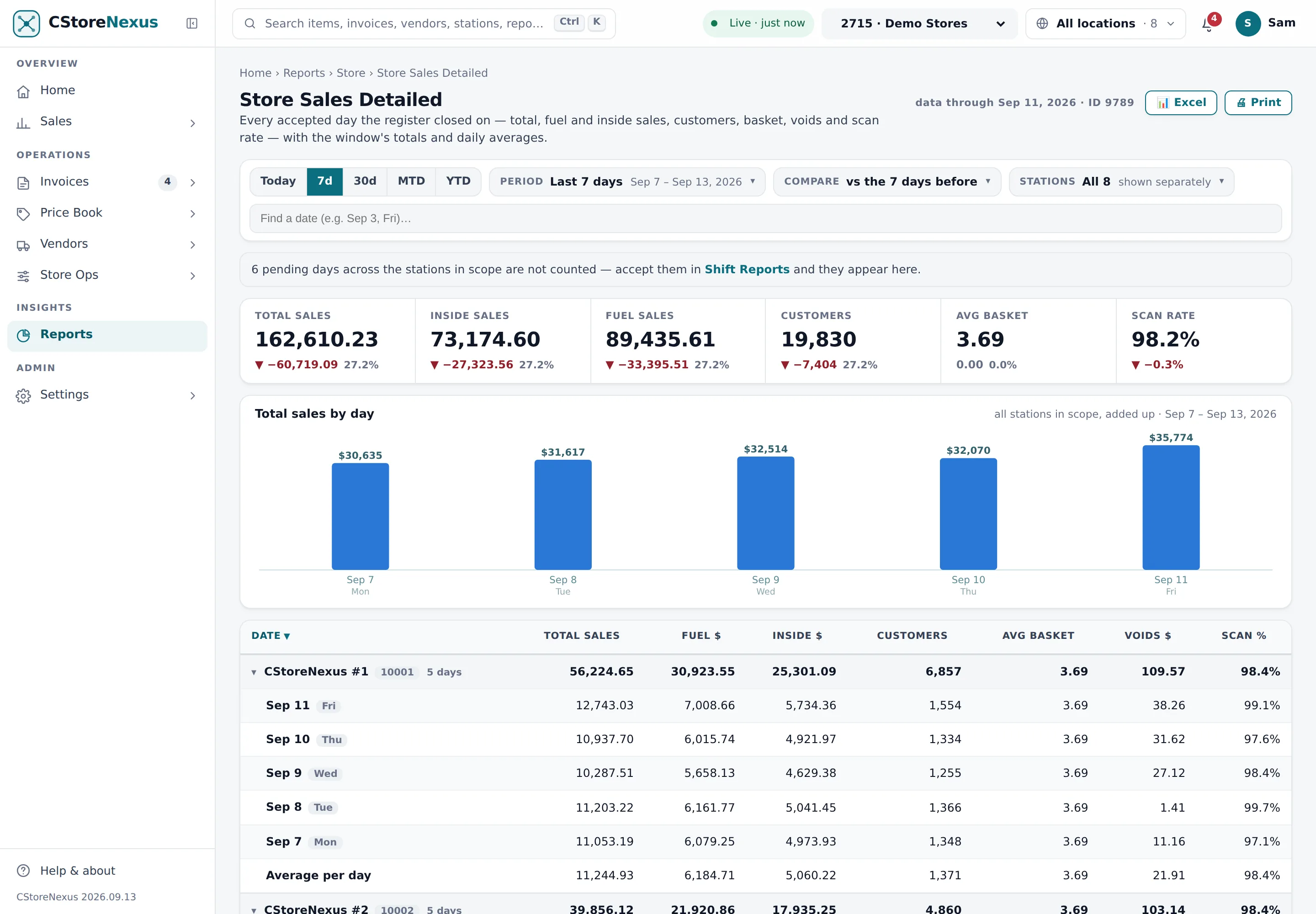
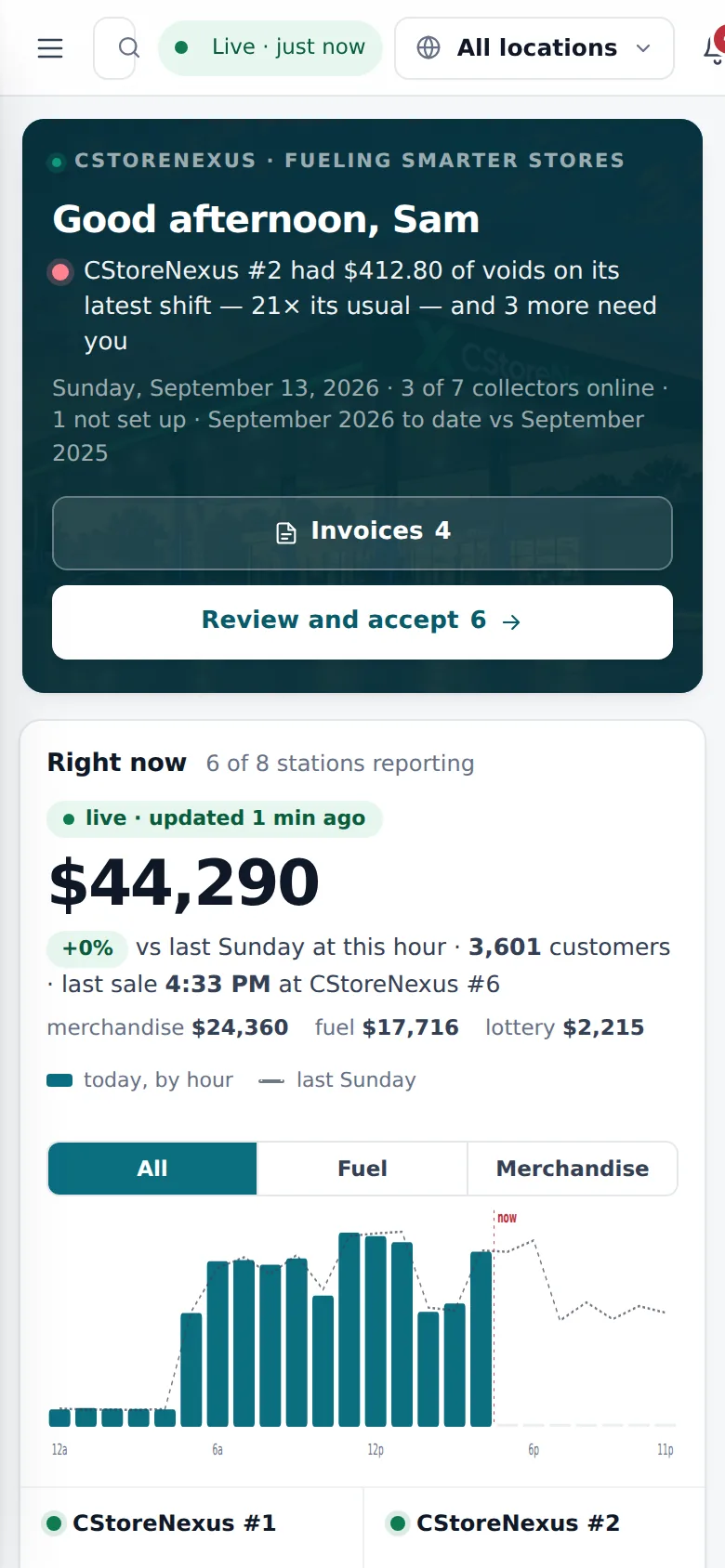
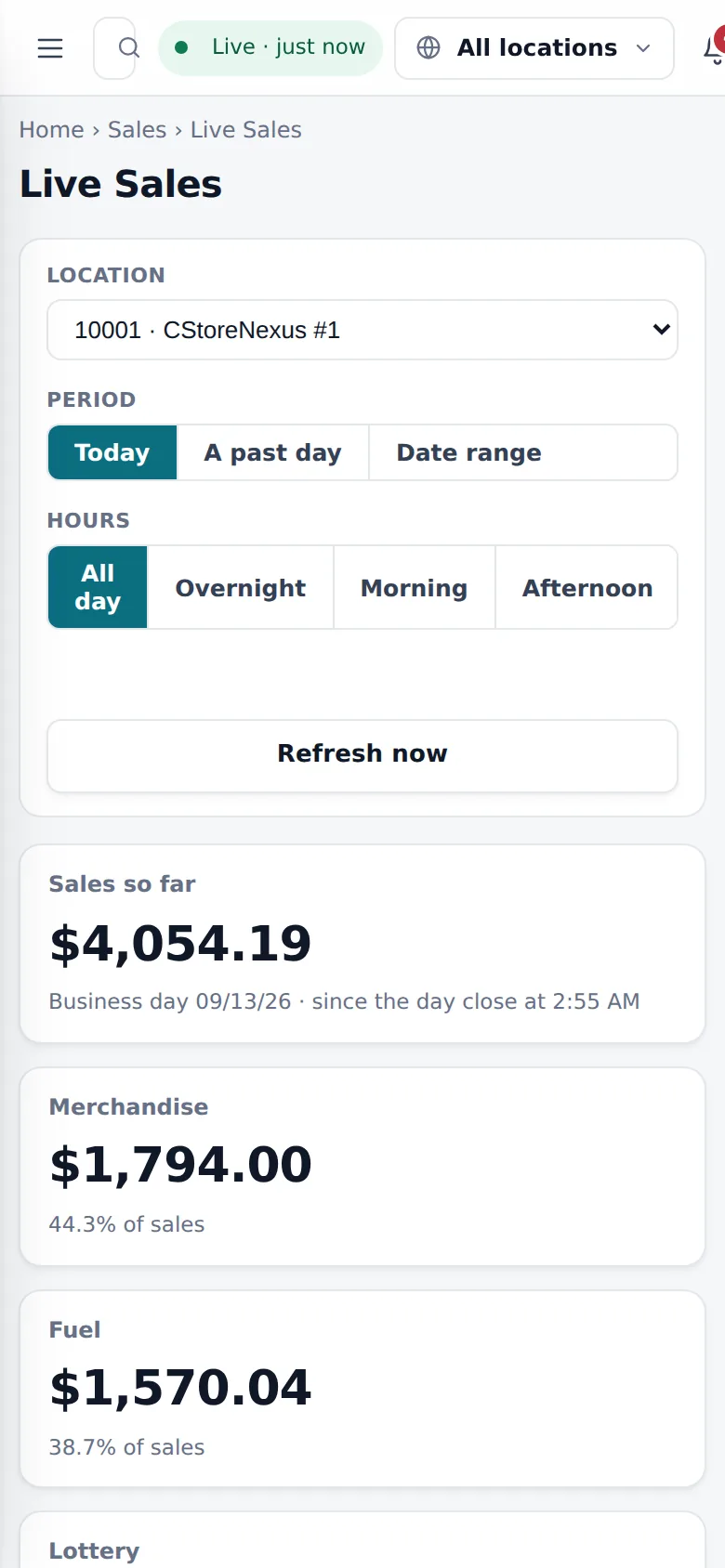
The Right-now band on Home reads each station's day in progress straight from the registers' transaction journals — merchandise, fuel and lottery by the hour — and moves as the files land. Pace is measured against the same weekday last week, to this hour, never against its whole day.
- All · Fuel · Merchandise — one toggle narrows the whole band, and the split under the figure shows the arithmetic.
- A card per station with its own pace chip and 24-hour spark; a click opens that station's Live Sales.
- Hour windows — overnight, morning, afternoon, or pick the hours — with departments that open up to the items that sold.

Built at day close. Reviewed in one queue. Nothing counts until you accept it.
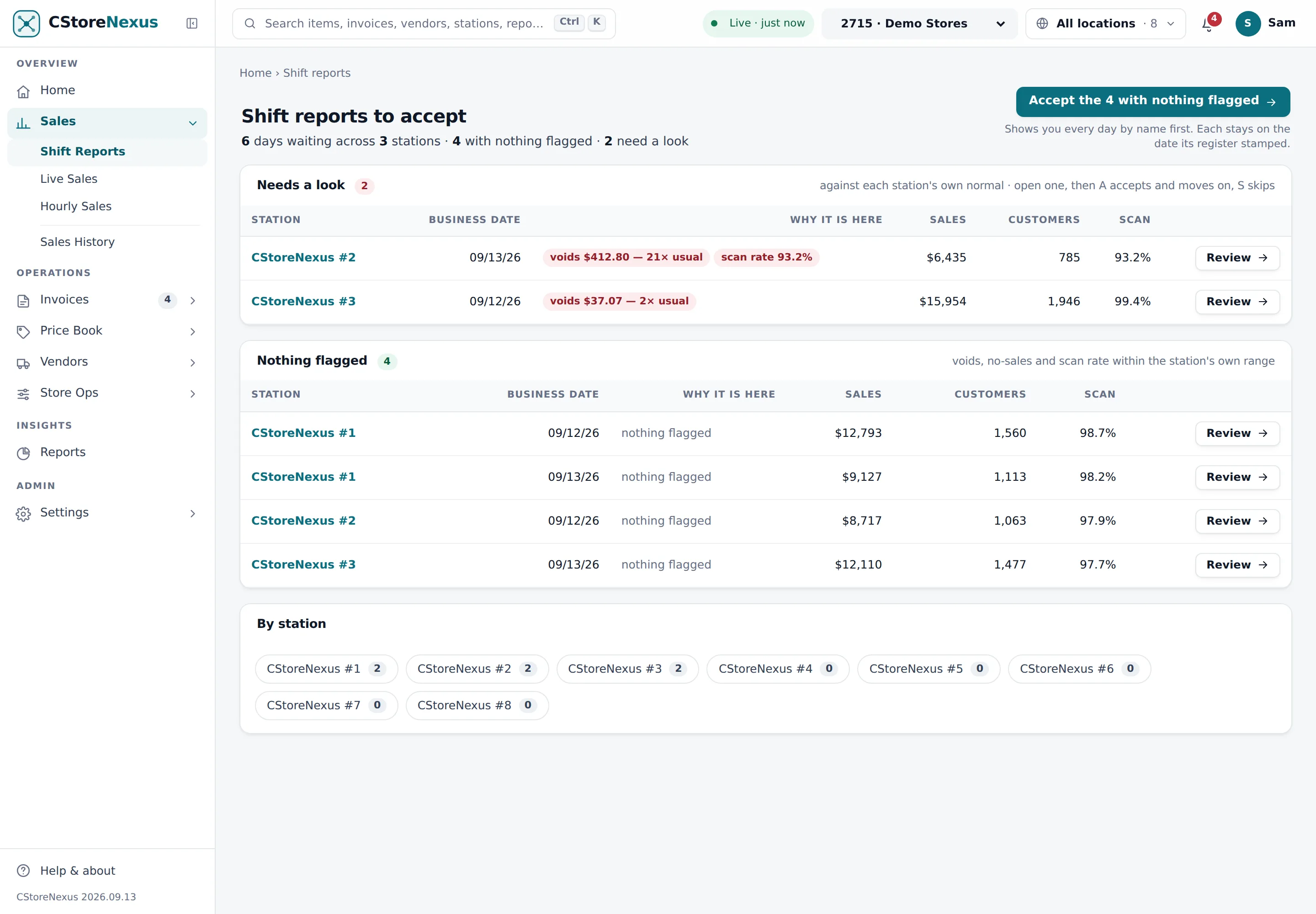
When a register closes its day, the report is already built from the movement files — the authoritative totals, not the journal's estimate. Every waiting day sits in one queue across all your stations, judged by the same rules Home uses: voids or no-sales against that station's own normal, scan rate, a day with two closes, a station with no baseline yet.
- “Accept the 4 with nothing flagged” — the named list first, then one click. Never a blind bulk accept.
- A and S keys on a report: accept on the register's date and open the next one that needs a look, or skip.
- “21× usual” — voids, no-sales and refunds against the station's own accepted days, each linking to the events behind the count.

Photograph it. The system does the work.
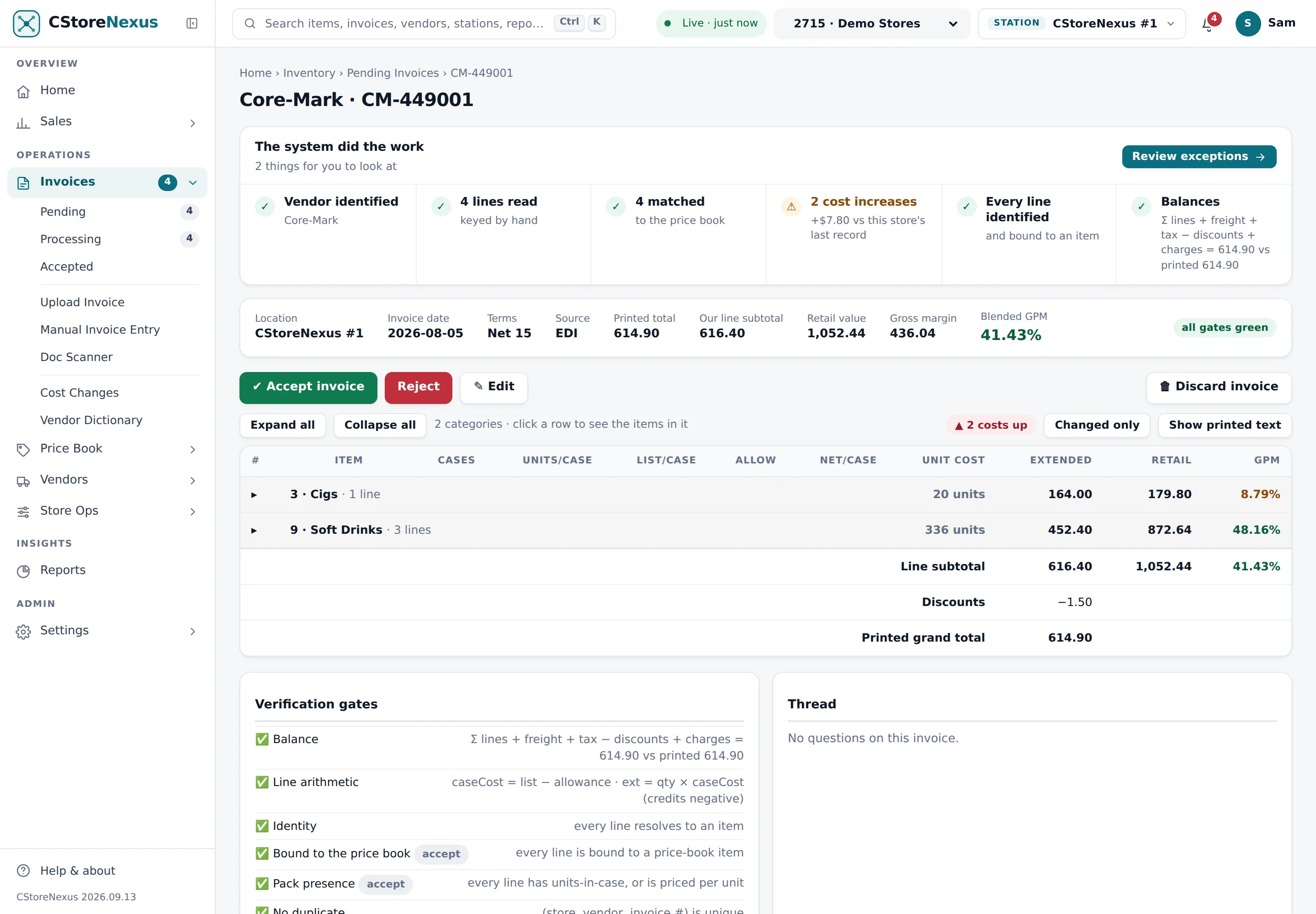
A vendor invoice — a photo from the phone, a PDF, a vendor's own file — is read line by line, matched against your price book, and checked against the invoice's own totals before it touches your books. The invoice opens with six tiles that say what was done and what needs you: lines read, matched, cost increases, unknown SKUs, and whether it balances.
- Scan the carton on the phone — one scan, ten lines, and the app never asks a stocker for a retail or a category.
- Cost changes with the margin in view — a cost that rose shows the retail beside it, and the new margin, before you accept.
- A vendor dictionary that learns each vendor's item numbers, so the second Core-Mark invoice reads better than the first.

One product, one price per location — and the margin right there in the row.
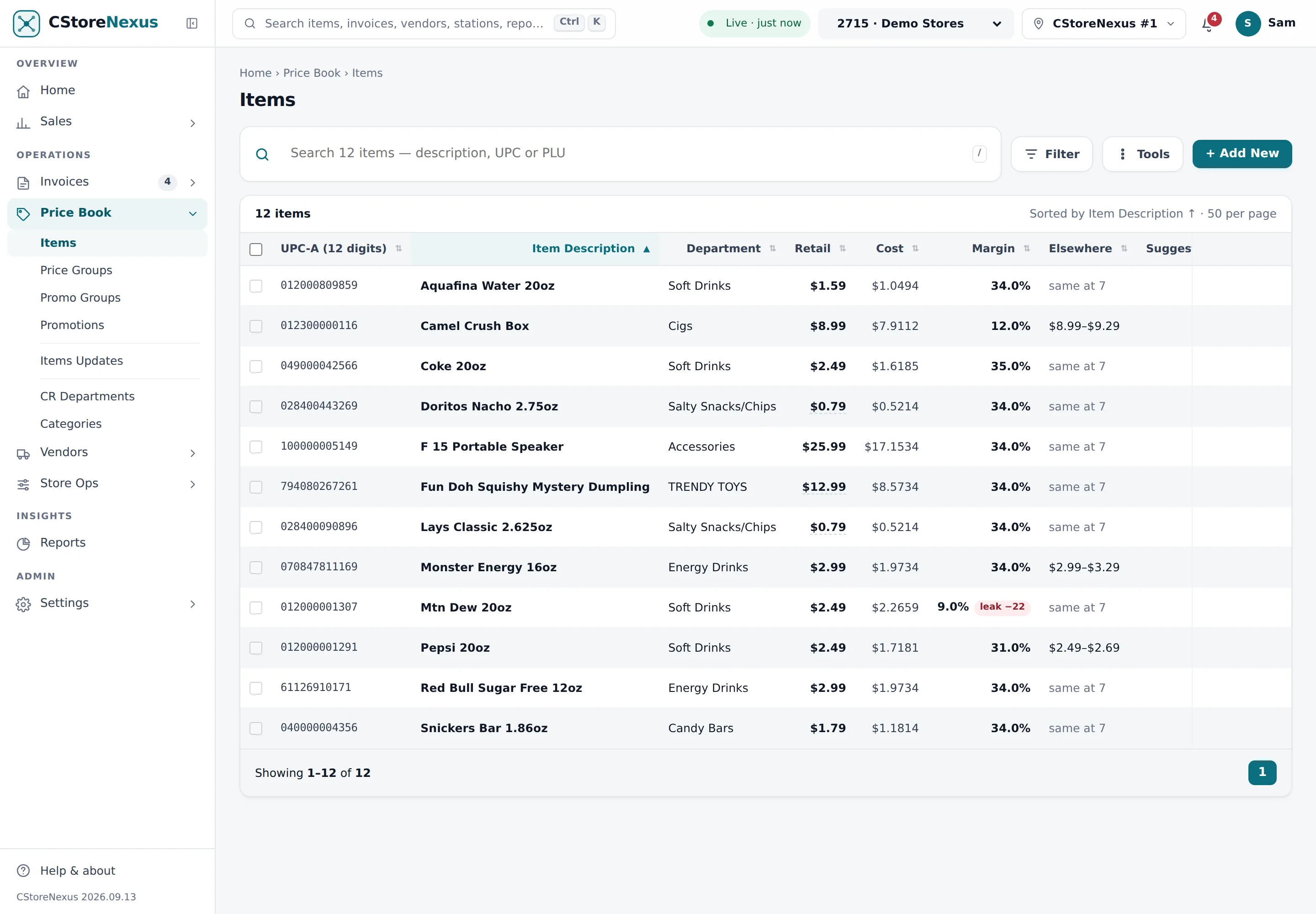
Thirty-five thousand items, imported from the export you already have. Cost, margin, what your other stations charge, and a suggested retail sit beside the price at the station you're looking at. Change a retail in the row and it is queued for that register, guarded by your min and max.
- Price groups and promotions — a group outranks the item, a change names every register on the account, whoever queued it.
- Margin leakage — a filter for items sitting more than five points under their department's median at this station.
- Written in the register's own language — Passport's ITT, ILT and MMT files, Commander's item and mix-match tables — and held in a queue you accept.
Seventy reports. One filter bar. No Run button.
Period, compare, stations, group by, filter, search — the same bar on every report, and the comparison window is derived from the period so a part-month is never set against a full month. Charts answer on hover; a line chart names every series' value at the day under your cursor.
- Store Sales Detailed, Departments, Item Sales by Tags, Comparison, Six Weeks, Sales History and the rest of the library.
- Today · 7d · 30d · MTD · YTD one click each; every report prints the date its data runs through.
- Profit per station — each store's own cost against its own sales, which the register alone never tells you.
The same numbers in your pocket. The carton scanned in the cooler.
Home, today's live sales, the shift reports waiting on you and the alerts that matter — re-read every time you open the app. An invoice starts with a scan of the carton: one scan, ten lines, matched on the spot. A price check reads the full item and its price group.
The whole back office. Not a module list.
One subscription, every screen. These are the pages in the sidebar today.
See it on your own stores.
Thirty minutes over a screen share, on one of your stores. $249 a store, month to month.